📸 A termék oldalán található képek némely esetben illusztrációk, ezek a valóságban eltérhetnek.

EaseUS RecExperts Pro Screen Recorder for Windows
📝 Termék leírása
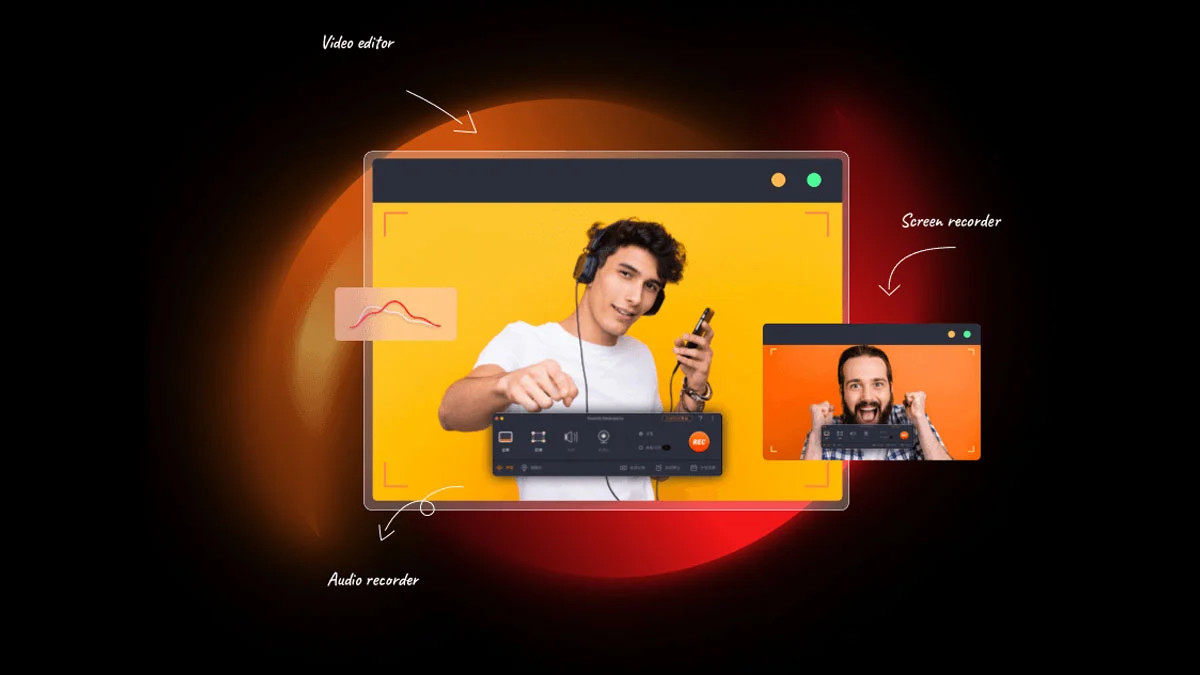
Simple & Smart Screen Recorder perfect for students, teachers, trainers, gamers, YouTubers, small businesses, etc. Enjoy smooth & simple video recording!
With GPU acceleration technology, EaseUS screen recorder lets you record gameplay, live streaming and other videos without any lag even on low-end PC. In addition, screen recording is a piece of cake for anyone, thanks to its clean and straightforward interface.
You can also set hotkeys to quickly start or stop recording. Features PRO features: Unlimited saving length of each recording Unlimited playing time of each recording Schedule recording Auto split recording Auto stop recording Extract and save audio from video Add intro and outro Free upgrades & 24/7 technical support Capture video, audio, webcam or image for any occasion Record Zoom meeting, YouTube videos, tutorials, games, etc.
Record screen with internal audio and your voice on Windows Record AnywhereRecord part of screen or a full screen based on your needs. You can even record multiple screens simultaneously.
Record Any AudioRecord sound from your computer or/and microphone. You can also extract the audio from the recorded video file or during recording.
Capture Web CameraVideos that include a speaker are more engaging! Capture your face via Web Camera while you are recording the screen.
Auto-Stop & Auto-SplitAuto stop recording when it reaches a set time, duration or file size. Or auto split recording to multiple files for later use.
Edit RecordingTrim the lenght recording or adjust its volume as per your needs. You can also add custom intro and outro to it.
Flexible Output SettingsSet the frame rate of recorded footage as you want and save it to 10+ formats, including MP4, MOV, AVI, MP3, PNG, etc.
📋 Általános használati útmutató
A termék aktiválásához kövesd az adott platform hivatalos útmutatását:
- 🎮 Steam
- 🎮 Origin / EA app (új néven: EA app)
- 🎮 Epic Games
- 🎮 Ubisoft Connect (régi nevén Uplay)
- 🎮 GOG (Good Old Games)
- 🎮 Battle.net (Blizzard)
- 🎮 Rockstar Games Launcher
- 🎮 Microsoft Store / Xbox
- 🎮 PlayStation Store
- 🎮 Nintendo eShop
Megjegyzés: A termék aktiválása után azonnal elérhető lesz a fiókodban.
Korábban megnézted
Ezeket a termékeket nézted meg korábban